The Web IDE
Edit your area in a real code editor, right inside the game client.
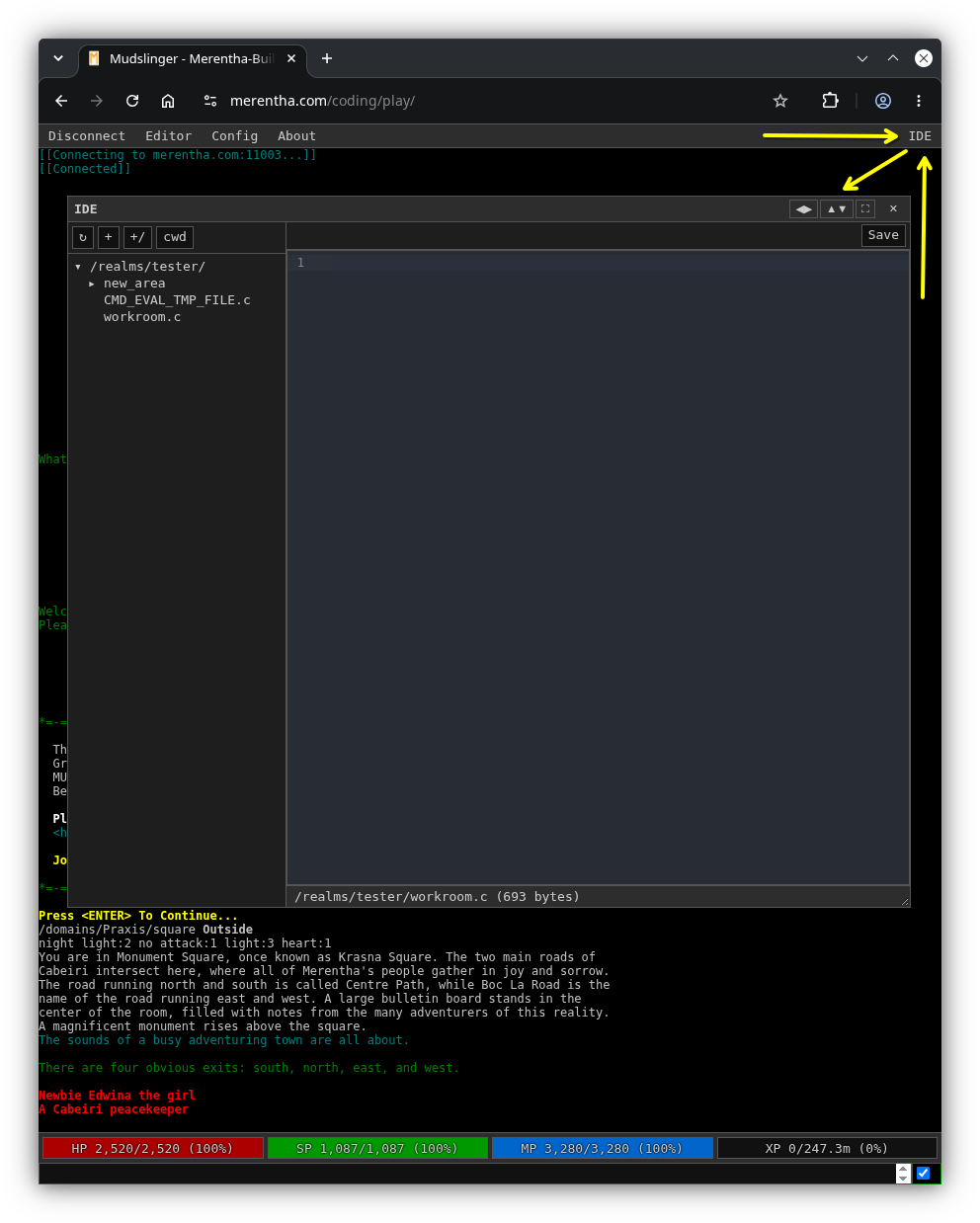
The Merentha web client (Mudslinger) has a built-in IDE: a file tree, tabs, syntax highlighting, and compile errors shown on the line they happen. It talks to the game over the same connection you play on, so there is nothing to install and no separate login.
Opening it
Open the builders’ web client from the Builders page and log in with your builder character. The IDE talks over GMCP, which is off by default, so turn it on once:
setenv GMCP on
The setting is saved with your character. Reconnect, and an IDE button appears at the right of the menu bar. Click it to open the panel. Players never see the button.
The panel can dock left, right, top, or bottom, or float and maximize, using the buttons in its title bar.
What you can reach
Builders get their own realm (/realms/yourname/). Arches and admins get
everything. Every request is also checked against the game’s normal file
permissions.
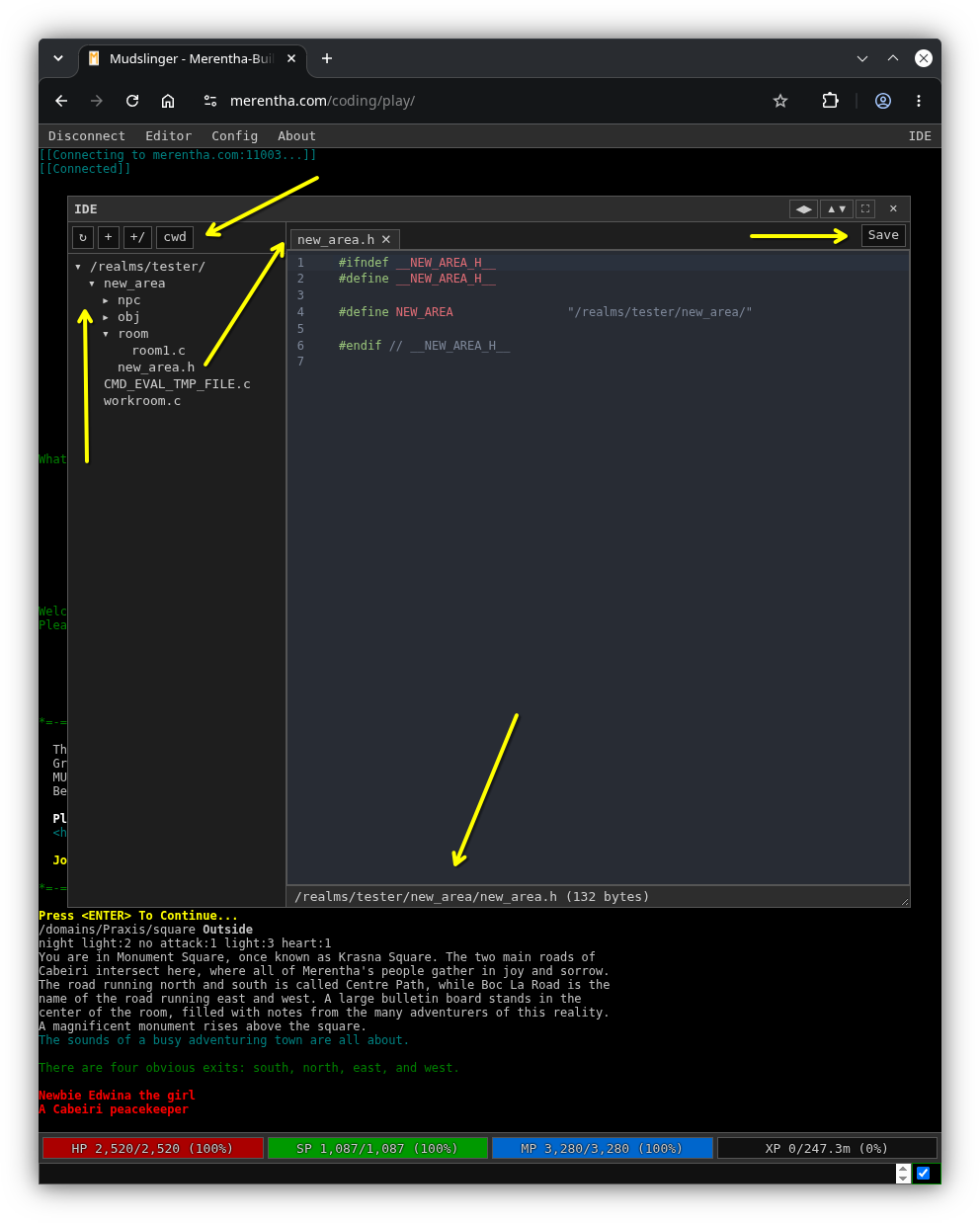
The buttons above the file tree reload it, make a new file or directory, and
jump to your current working directory (cwd).
Saving is compiling
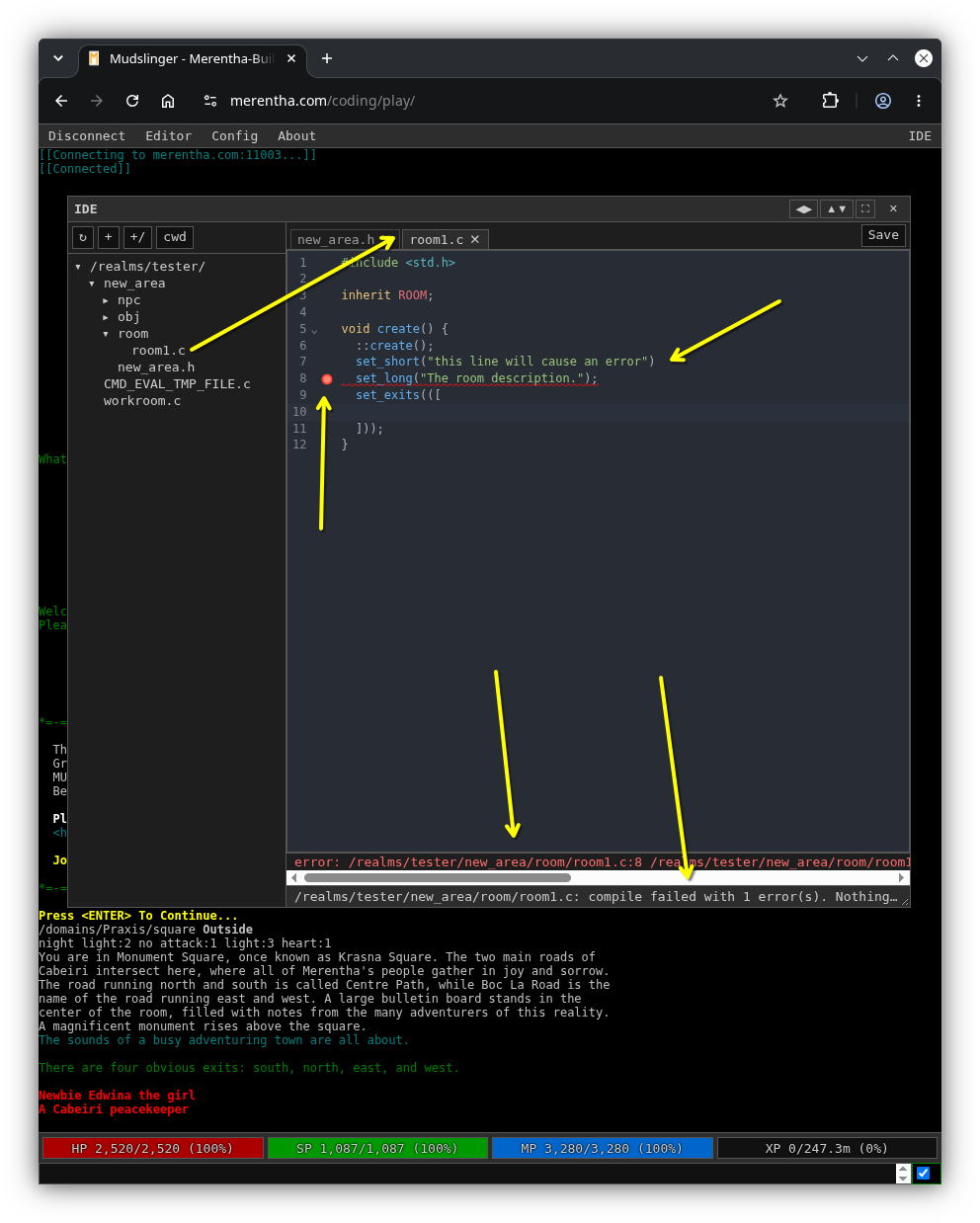
Press Ctrl-S (or Save). Before anything is written, the server compiles your new version in a sandbox:
- It compiles: the file is saved and
updateruns on it automatically, so the game is using your change straight away. - It does not compile: nothing is written. The errors appear in the gutter beside the offending lines and in a clickable list under the editor. The old file keeps running in the game.
So a typo in a .c file can never take a live room down.
Only .c files are compile-checked. A header (.h) is saved as is, and
nothing is reloaded, so update the files that include it yourself.
The automatic update is also skipped if you are in the middle of ed or
answering a prompt in the game. Run update yourself afterwards.
Working alongside other builders
- Someone else saved first. If the file changed since you opened it, your save is refused instead of overwriting their work. Reload, then reapply your change.
- Someone is editing it. A save is refused while another builder holds a
lock on the file, or has it open in
ed. The message names who.
Files over 500 KB cannot be opened or saved.
When to still use the game
The IDE edits files. Everything else (walking into the room, reset,
clone, elog, scan here) still happens in the game window beside it. See
the Builder Commands tome.